| Regex Tools |
| grep |
| PowerGREP |
| RegexBuddy |
| RegexMagic |
| General Applications |
| EditPad Lite |
| EditPad Pro |
| Databases |
| MySQL |
| Oracle |
| PostgreSQL |
RegexMagic: Regular Expression Generator
If the detailed regular expressions tutorial on this website makes your head spin, RegexMagic may be just the tool for you.
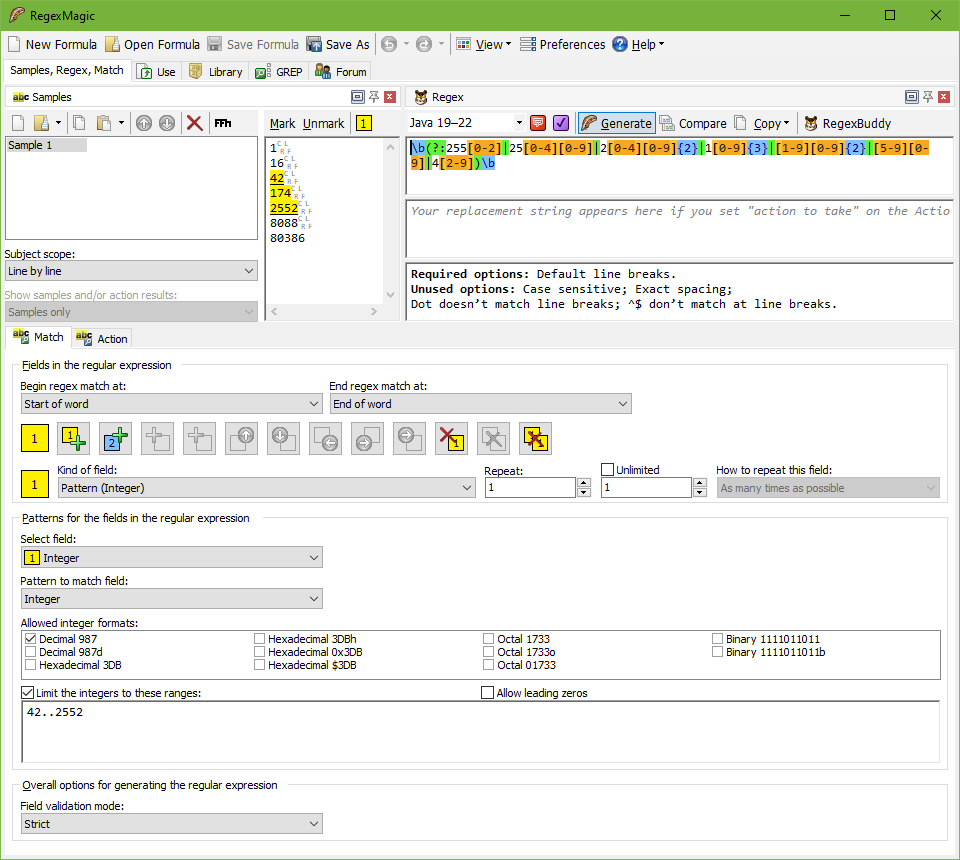
RegexMagic makes creating regular expressions easier than ever. While other regex tools such as RegexBuddy merely make it easier to work with regular expressions, with RegexMagic you don’t have to deal with the regular expression syntax at all. RegexMagic generates complete regular expressions to your specifications.
First, you provide RegexMagic with some samples of the text you want your regular expression to match. RegexMagic can automatically detect what sort of pattern your text looks like. Numbers, dates, and email addresses are just a few examples of the wide range of patterns that RegexMagic supports. By marking different parts of your samples, you can create regular expressions that combine multiple patterns to match exactly what you want. RegexMagic’s patterns provide many options, so you can make your regular expression as loose or as strict as you want.
Best of all, RegexMagic supports nearly all popular regular expression flavors. Select your flavor, and RegexMagic makes sure to generate a regular expression that works with it. RegexMagic can even generate snippets in many programming languages that you can copy and paste directly into your source code to implement your regular expression.
Find out More and Get Your Own Copy of RegexMagic
RegexMagic works under Windows XP, Vista, 7, 8, 8.1, 10, and 11. For more information on RegexMagic, please visit www.regexmagic.com. You will be creating your own regular expressions in no time.
| Quick Start | Tutorial | Tools & Languages | Examples | Reference | Book Reviews |
| grep | PowerGREP | RegexBuddy | RegexMagic |
| EditPad Lite | EditPad Pro |
| Boost | Delphi | GNU (Linux) | Groovy | Java | JavaScript | .NET | PCRE (C/C++) | PCRE2 (C/C++) | Perl | PHP | POSIX | PowerShell | Python | R | Ruby | std::regex | Tcl | VBScript | Visual Basic 6 | wxWidgets | XML Schema | Xojo | XQuery & XPath | XRegExp |
| MySQL | Oracle | PostgreSQL |
Page URL: https://www.regular-expressions.info/regexmagic.html
Page last updated: 20 January 2022
Site last updated: 02 July 2024
Copyright © 2003-2024 Jan Goyvaerts. All rights reserved.